04.2021 – 07.2021
Modity
A conceptual and artistic redesign of the PDF reader Adobe Acrobat.
- Application Design
- Webdesign
- User Interface
- Application Design
- Webdesign
- User Interface
During the process, special attention was paid to the design of the modes, as well as the possibility for individualization and the design of microinteractions. The focus was also on a clear presentation and intuitive user interfaces, which were revised in detail.
The new concept is based on the approach of mode-oriented use. Users should not have to spend a lot of time choosing the right tool. Therefore, the goal is to group all tools into a few modes and thus create the possibility for faster use.
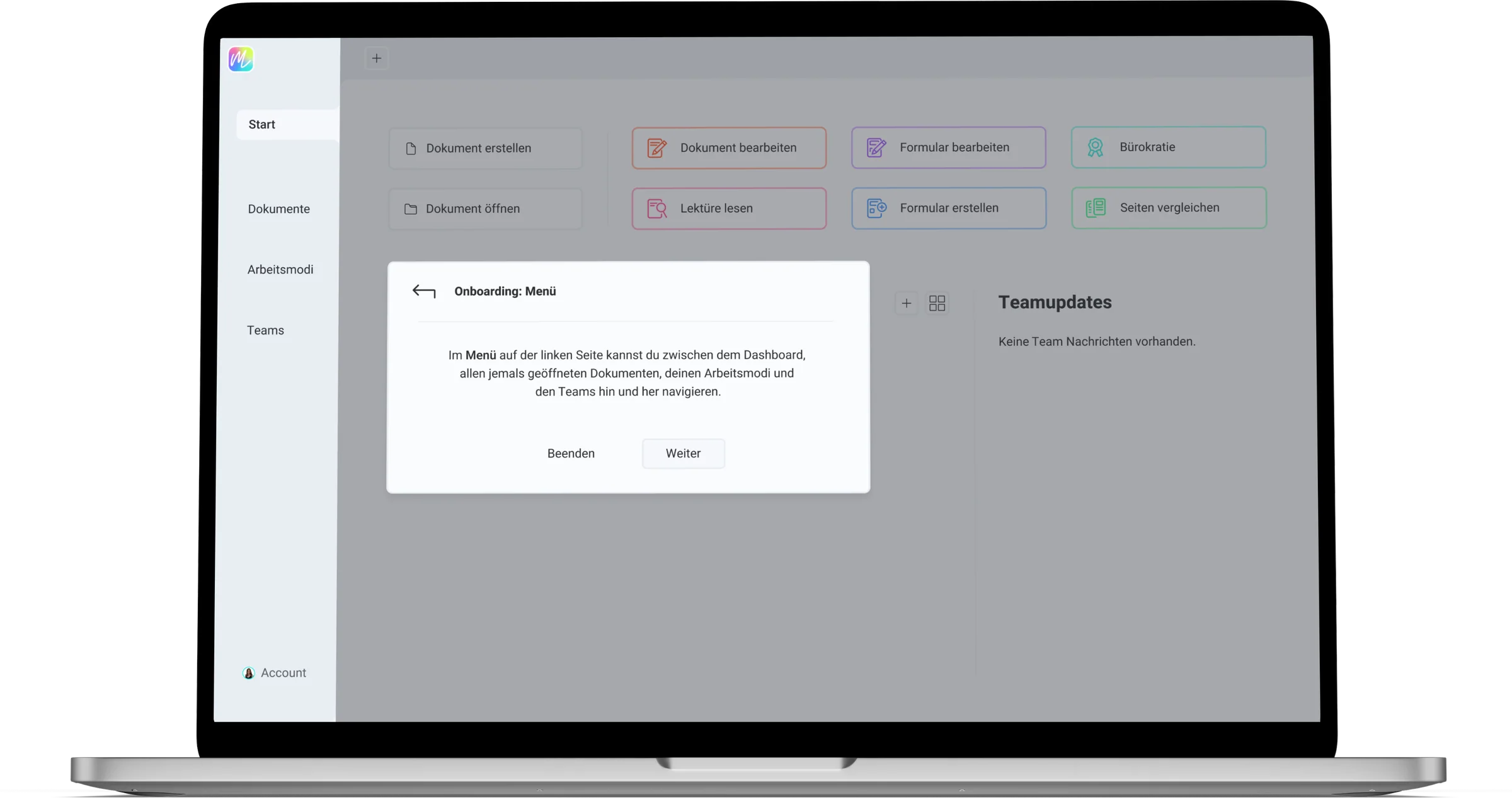
Onboarding
The short onboarding helps you getting started with the application, so you can immediately find your way around the application and focus on your PDF documents.
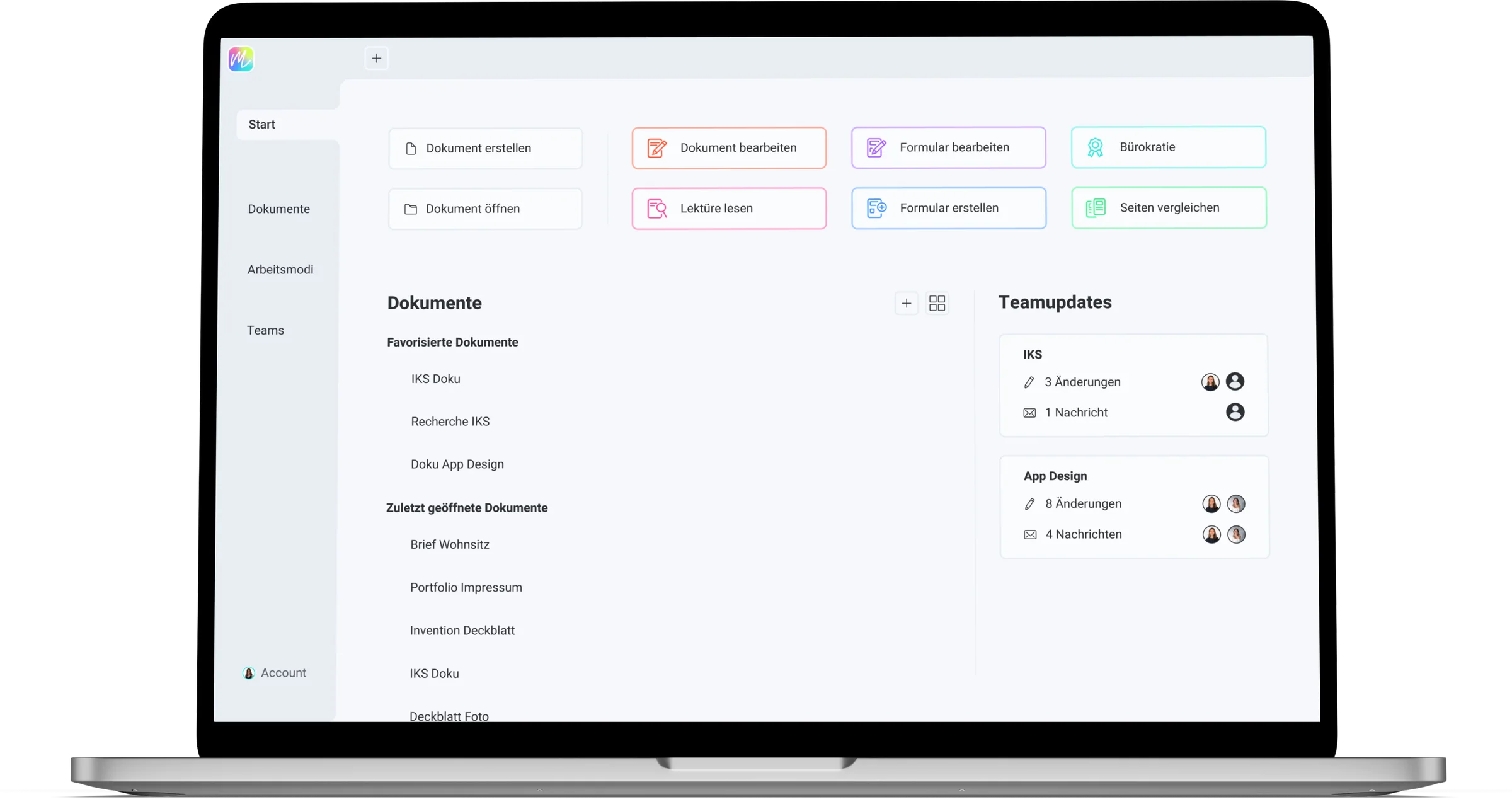
Dashboard
On the clear dashboard you have everything important at a glance. This way, you can complete your tasks efficiently and in a targeted manner.
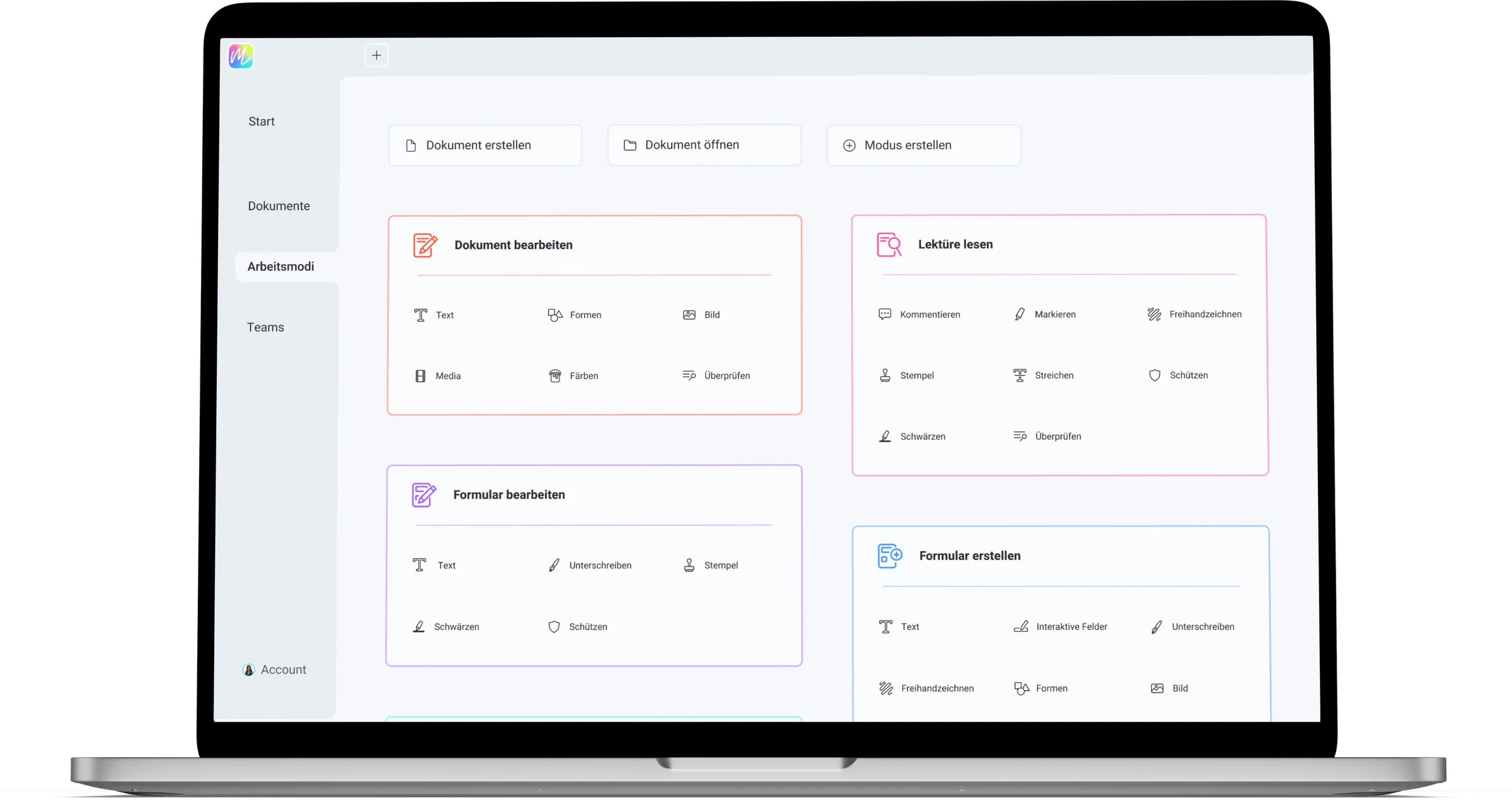
Modes
The work modes speed up your process by quickly achieving related tasks. As a full professional, you can of course also create or manage your own work modes. In the edit view you can change your working mode with a few clicks, if it better fits to your task.
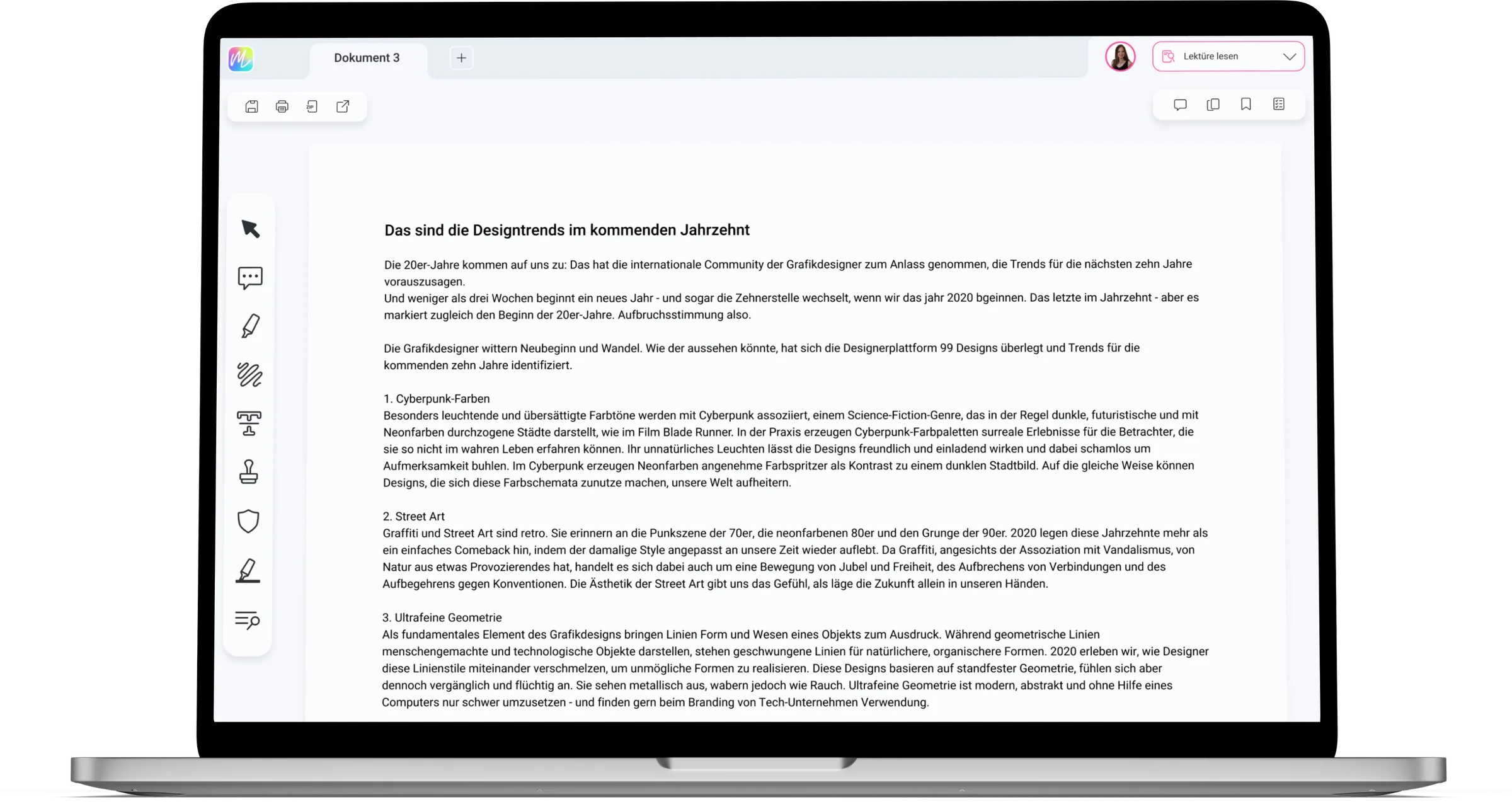
Tools
Selected tools are displayed in the document at the top and left sites according to the selected working mode. This way you can concentrate and reach your goal quickly.
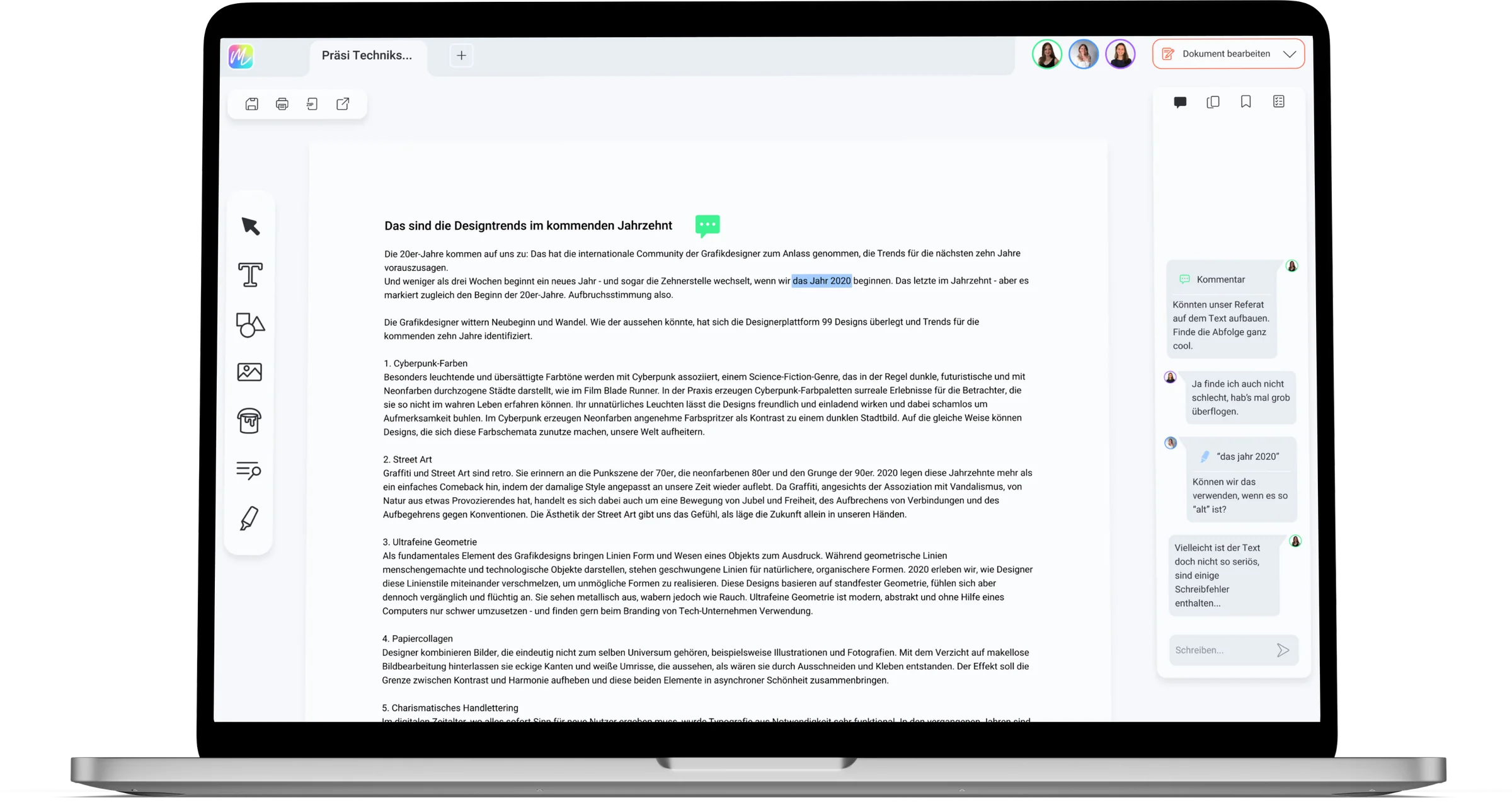
Collaborative Work
Work easily and effectively with your team. Reading together, correcting texts or editing documents has never been so easy.
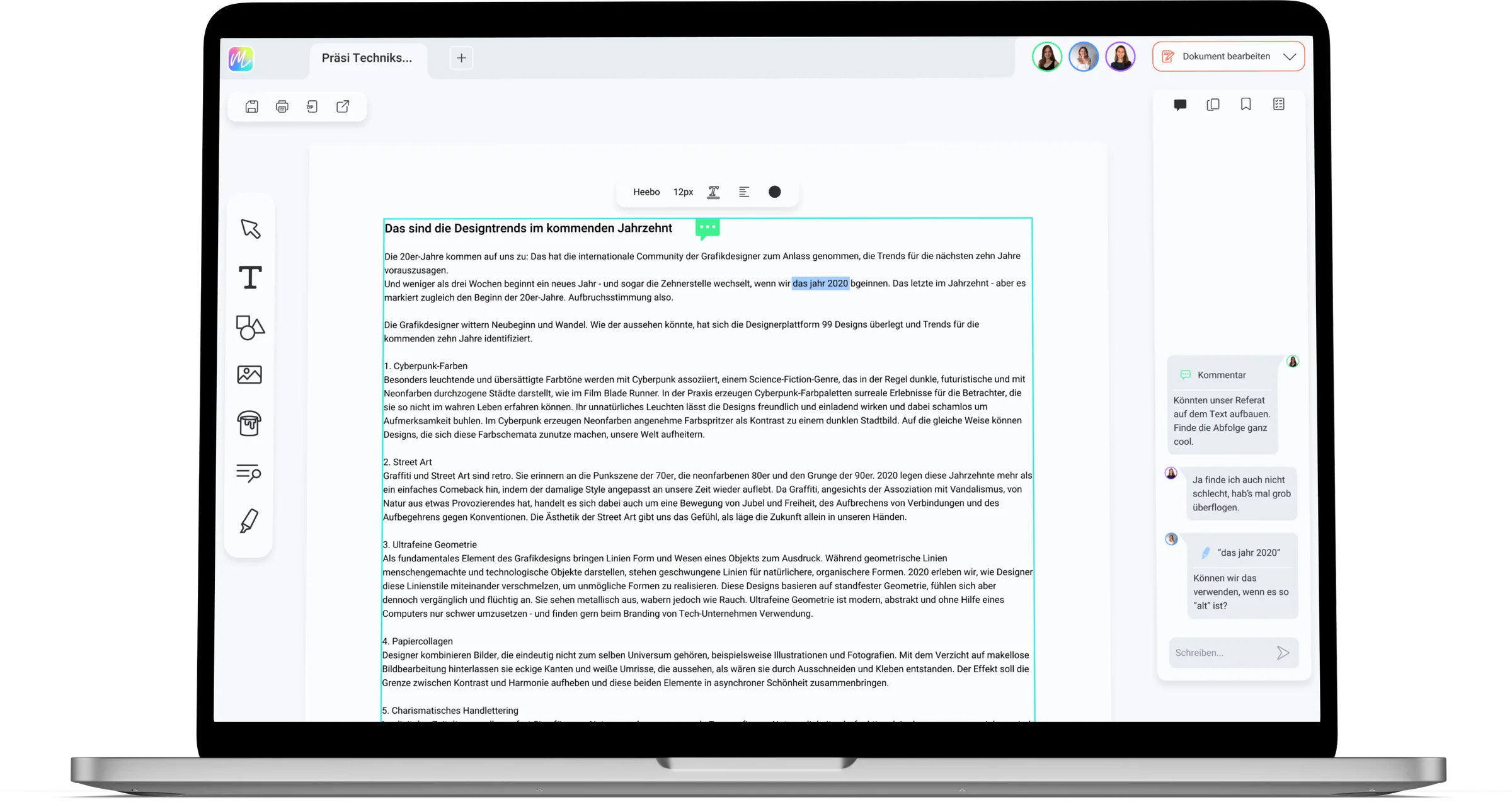
Quick Access
A toolbox, that places all the fine-tuning right where you need it, so you can work in a more defined and focused way.